Search

Showing posts with label iOS. Show all posts

Monday, June 7, 2021

#WWDC21 Keynote: New iOS 15 with On-Device Intelligence, New Maps, New Privacy Features and More


Apple previews major updates to FaceTime, new Focus features to reduce distraction, enhanced on-device intelligence to discover information, and more ways to explore the world using Maps, Weather, and Wallet

On-Device Intelligence Powers Live Text, Advanced Spotlight Search, and More

Live Text uses on-device intelligence to recognize text in a photo and allow users to take action. For example, users can search for and locate the picture of a handwritten family recipe, or capture a phone number from a storefront with the option to place a call. With the power of the Apple Neural Engine, the Camera app can also quickly recognize and copy text in the moment, such as the Wi-Fi password displayed at a local coffee shop. With Visual Look Up, users can learn more about popular art and landmarks around the world, plants and flowers found in nature, breeds of pets, and even find books.

Spotlight now uses intelligence to search photos by location, people, scenes, or objects, and using Live Text, Spotlight can find text and handwriting in photos. Spotlight now offers web image search and all-new rich results for actors, musicians, TV shows, and movies. Enhanced results for contacts show recent conversations, shared photos, and even their location if shared through Find My. 

Photos includes the biggest update ever to Memories, with a fresh new look, an interactive interface, and integration with Apple Music, which uses on-device intelligence to personalize song suggestions that bring memories to life.


A Redesigned Browsing Experience with Safari

Safari gets a new design that makes controls easier to reach with one hand and puts content front and center. The new tab bar is compact and lightweight, and floats at the bottom of the screen, so users can easily swipe between tabs. Tab Groups allow users to save tabs and easily access them at any time across iPhone, iPad, or Mac. New features, such as the customizable start page and web extensions on iOS, make Safari even more personal and powerful.


Explore the World with Apple Maps

Apple is committed to building the world’s best map, and iOS 15 takes Maps even further with brand new ways to navigate and explore. Users will experience significantly enhanced details in cities for neighborhoods, commercial districts, elevation, and buildings, new road colors and labels, custom-designed landmarks, and a new night-time mode with a moonlit glow. This is a whole new way of looking at the world through Maps.


When navigating using iPhone or CarPlay, Maps features a three-dimensional city-driving experience with new road details that help users better see and understand important details like turn lanes, medians, bike lanes, and pedestrian crosswalks.4 Transit riders can find nearby stations more easily and pin favorite lines. Maps automatically follows along with a selected transit route, notifying users when it’s nearly time to disembark, and riders can even keep track on Apple Watch. With iOS 15, users can simply hold up iPhone, and Maps generates a highly accurate position to deliver detailed walking directions in augmented reality.


New Keys and State IDs Come to Apple Wallet

Apple Wallet adds support for additional types of keys, making it possible to access everyday places with just a tap. Last summer, Apple introduced digital car keys, and BMW was the first car company to add its keys, allowing users to tap to unlock. This year, digital car keys get even better with support for Ultra Wideband technology, so users can securely unlock and start their supported vehicle without removing their iPhone from a pocket or bag.5 iPhone can also be used to unlock a user’s home, office, or even a hotel room — all through keys stored in Wallet.6

Later this year, customers in participating states in the US will be able to add their driver’s license or state IDs to Wallet. The Transportation Security Administration is working to enable airport security checkpoints as the first place customers can use their digital Identity Card in Wallet. Identity Cards in Wallet are encrypted and safely stored in the Secure Element, the same hardware technology that makes Apple Pay private and secure.


New Privacy Features

iOS 15 introduces even more privacy controls to help protect user information. With on-device speech recognition, audio of Siri requests is now processed entirely on iPhone by default,7 and performance improves significantly. Mail Privacy Protection stops senders from learning whether an email has been opened, and hides IP addresses so senders can’t learn a user’s location or use it to build a profile on them. App Privacy Report offers an overview of how apps use the access that has been granted to location, photos, camera, microphone, and contacts in the last seven days, and which other domains are contacted


Redesigned Weather and Notes Apps

Weather includes more graphical displays of weather data, full-screen maps, and dynamic layouts that change based on conditions. Beautifully redesigned animated backgrounds more accurately reflect the sun’s position and precipitation, and notifications highlight when rain or snow starts and stops.

Notes adds user-created tags that make it easy to quickly categorize notes, and mentions allow members of shared notes to notify one another of important updates. An all-new Activity view shows the recent history of a shared note.


Additional Features

  • Siri adds Announce Notifications on AirPods, the ability for users to share what’s on their screen just by asking, and more.
  • Shared with You works across the system to find the articles, music, TV shows, photos, and more that are shared in Messages conversations, and conveniently surfaces them in apps like Photos, Safari, Apple News, Music, Podcasts, and the Apple TV app, making it easy to quickly access the information in context.
  • iCloud+ combines everything users love about iCloud with new premium features, including Hide My Email, expanded HomeKit Secure Video support, and an innovative new internet privacy service, iCloud Private Relay, at no additional cost.9 Current iCloud subscribers will be upgraded to iCloud+ automatically this fall. All iCloud+ plans can be shared with people in the same Family Sharing group, so everyone can enjoy the new features, storage, and elevated experience that comes with the service. 
  • The Health app gets a new sharing tab that lets users share their health data with family, caregivers, or a care team, Trends gives users a way to focus attention on meaningful changes in personal health metrics, and Walking Steadiness is a new metric that empowers people to proactively manage their fall risk.
  • HomeKit accessory makers can now enable “Hey Siri” in their products, allowing customers to talk to and get responses from Siri on third-party devices. “Hey Siri”-enabled accessories will relay requests through HomePod or HomePod mini and will support features such as Personal Requests, Intercom, timers, and alarms. Starting today, smart home device manufacturers can begin working with Apple to integrate Siri into their accessories.
  • Find My introduces new capabilities to help locate a device that has been turned off or erased, as well as live-streaming locations for family and friends who choose to share their location. Separation Alerts notify a user if they leave an AirTag, Apple device, or Find My network accessory behind in an unfamiliar location, and the Find My network now supports AirPods Pro and AirPods Max. A new Find My widget offers an at-a-glance view directly from the Home Screen. 
  • Translate adds a new Live Translate feature that makes conversation flow naturally across languages. Systemwide translation allows users to translate text anywhere on iPhone.
  • The Apple TV app now features a new row titled “For All of You” — showcasing a collection of shows and movies based on the interests of selected people or an entire household — perfect for movie nights.
  • New iPhone setup makes it more seamless than ever to get started with iPhone. Existing iPhone users can temporarily back up data to iCloud — even without a subscription — to easily transfer their data to a new iPhone. For those moving to iPhone for the first time, an improved “Move to iOS” experience easily transfers photo albums, files, folders, and Accessibility settings, so iPhone feels personal right from the start. 
  • Accessibility across iPhone expands with new features for VoiceOver that enable users to explore even more details about the people, text, table data, and other objects within images. In support of neurodiversity, new background sounds help minimize distractions, and for those who are deaf or hard of hearing, Made for iPhone supports new bidirectional hearing aids. Sound Actions customizes Switch Control to work with mouth sounds, and users can now customize display and text size on an app-by-app basis. Apple is also bringing support for recognizing imported audiograms — charts that show the results of a hearing test — to Headphone Accommodations.
Source: Apple


#WWDC21 Keynote: New iOS 15 with New SharePlay, Tools to Find Focus & New Notifications Experience


Apple previews major updates to FaceTime, new Focus features to reduce distraction, enhanced on-device intelligence to discover information, and more ways to explore the world using Maps, Weather, and Wallet

Apple today announced iOS 15, a major update with powerful features that enhance the iPhone experience. iOS 15 makes FaceTime calls more natural, introduces SharePlay for shared experiences, helps users focus and be in the moment with new ways to manage notifications, and brings more intelligence to photos and search to quickly access information. Apple Maps unveils beautiful new ways to explore the world, Weather is redesigned with full-screen maps and more graphical displays of data, Wallet adds support for home keys and ID cards, and browsing the internet with Safari is even simpler with a new tab bar design and Tab Groups. iOS 15 also includes new privacy controls in Siri, Mail, and more places across the system to further protect user information.


More Natural FaceTime Calls and Shared Experiences with SharePlay

FaceTime helps customers easily connect with those who matter most and with iOS 15, conversations with friends and family feel even more natural. With spatial audio, voices in a FaceTime call sound as if they are coming from where the person is positioned on the screen,1 and new microphone modes separate the user’s voice from background noise. Inspired by the stunning portrait photos taken on iPhone, Portrait mode is now available for FaceTime and designed specifically for video calls, so users can blur their background and put themselves in focus.2 While using Group FaceTime, a new grid view enables participants to see more faces at the same time.


Users can now share experiences with SharePlay while connecting with friends on FaceTime, including listening to songs together with Apple Music, watching a TV show or movie in sync, or sharing their screen to view apps together. SharePlay works across iPhone, iPad, and Mac, and with shared playback controls, anyone in a SharePlay session can play, pause, or jump ahead. SharePlay even extends to Apple TV, so users can watch shows or movies on a big screen while connecting over FaceTime, and SharePlay will keep everyone’s playback in sync. Disney+, ESPN+, HBO Max, Hulu, MasterClass, Paramount+, Pluto TV, TikTok, Twitch, and many others are integrating SharePlay into their apps — creating entirely new ways to connect.


FaceTime calls also extend beyond Apple devices with the ability to create a link from iPhone, iPad, or Mac, and share it through Messages, Calendar, Mail, or third-party apps, so anyone can join a FaceTime call from their web browser on Android and Windows devices.3 FaceTime calls on the web remain end-to-end encrypted, so privacy is not compromised.

Tools to Find Focus

iOS 15 delivers powerful tools that help users focus and reduce distraction. Focus is a new feature that filters notifications and apps based on what a user wants to focus on. Customers can set their device to help them be in the moment by creating a custom Focus or selecting a suggested Focus, which uses on-device intelligence to suggest which people and apps are allowed to notify them. Focus suggestions are based on users’ context, like during their work hours or while they’re winding down for bed, and when Focus is set on one Apple device, it automatically applies to their other Apple devices. Users can create Home Screen pages with apps and widgets that apply to moments of focus to only display relevant apps and reduce temptation. When a user’s Focus is blocking incoming notifications, their status is automatically displayed to others in Messages, reflecting that a user is not currently reachable.


New Notifications Experience

Notifications have been redesigned, adding contact photos for people and larger icons for apps that make them even easier to identify. To help reduce distraction, a new notification summary collects non-time-critical notifications for delivery at a more opportune time, such as in the morning and evening. Using on-device intelligence, notifications are arranged by priority, with the most relevant notifications rising to the top, and based on a user’s interactions with apps. Urgent messages will be delivered immediately, so important communications will not end up in the summary, and it’s easy to temporarily mute any app or messaging thread for the next hour or for the day.

Source: Apple


Monday, April 26, 2021

New iOS 14.5 Delivers Unlock iPhone with Apple Watch, More Diverse Siri Voice Options, and New Privacy Controls


iOS 14.5 brings exciting new features to iPhone, including the ability to unlock iPhone with Apple Watch while wearing a face mask, more diverse Siri voices, new privacy controls, skin tone options to better represent couples in emoji, and much more. iOS 14.5 builds on the reimagined iPhone experience introduced in iOS 14, and is available today as a free software update.

Unlock iPhone with Apple Watch

Starting today, customers can use their Apple Watch to securely unlock iPhone when attempting to use Face ID while wearing a face mask. With Apple Watch on the wrist, unlocked, and in close proximity to iPhone, users can simply glance at their iPhone and they will receive haptic feedback from Apple Watch, indicating their iPhone has been unlocked. The new feature works with iPhone X and later and Apple Watch Series 3 and later.

Siri Enhancements

With iOS 14.5, Siri no longer has a default voice, allowing users to choose the voice that speaks to them when they first set up their device, and in English, users can now select more diverse voice options. These new Siri voices use Neural Text to Speech technology for an incredibly natural sound. These updates further Apple’s long-standing commitment to diversity and inclusion, with products and services that are designed to better reflect our customers and the world.

Siri also gains new capabilities with support for Group FaceTime, making it easier to initiate calls with multiple contacts or ask Siri to FaceTime the name of any group in Messages. In addition to incoming messages, Siri can now announce incoming calls through AirPods or compatible Beats headphones, and supports calling emergency contacts if the iPhone owner needs assistance and is unable to make a call. 


More Privacy Controls

App Tracking Transparency requires apps to get the user’s permission before tracking their data across apps or websites owned by other companies for advertising, or sharing their data with data brokers. Apps can prompt users for permission, and in Settings, users will be able to see which apps have requested permission to track so they can make changes to their choice at any time.

New Emoji

iOS 14.5 introduces an exciting update for the couple kissing emoji and couple with heart emoji with the ability to select different skin tones. Additional emoji include characters for face exhaling, face with spiral eyes, face in clouds, hearts on fire, mending heart, and woman with a beard, among others.


Report an Incident in Apple Maps

Maps users in the US and China can now safely and easily report an accident, hazard, or speed check along their route by telling Siri on iPhone or CarPlay. During navigation, users can let Siri know “There’s a crash up ahead” or “There’s something on the road,” or even report that incidents displayed on the map have been cleared. This feature is designed to keep drivers hands-free and focused on the road. Incidents can also be reported or cleared by passengers using “Report an Issue” in Maps. In addition, Maps users can now share their ETA when walking or cycling to let friends and family know what time they might arrive. CarPlay users can initiate the Share ETA feature using new Siri or keyboard controls.


Additional iOS 14.5 Features

  • Apple Podcasts gets redesigned show pages to make it easier to start listening, as well as an option to save and download episodes so they are automatically added to Library for quick access. Top Charts, categories, and curated collections on the Search tab help listeners discover new shows. 
  • AirTag support allows users to keep track of and find important items, such as keys, a wallet, backpack, or more, privately and securely in the Find My app.
  • Apple News features a redesigned News+ tab, making it easier for subscribers to quickly find, download, and manage magazine and newspaper issues, and an all-new Search experience helps all Apple News users find relevant topics, channels, and stories.
  • Apple Fitness+ users can now stream audio and video to AirPlay 2-enabled TVs and devices.
  • Reminders adds the ability to sort by title, priority, due date, or creation date, and offers the option to print reminder lists.
  • 5G improvements for iPhone 12 models include Dual SIM support for 5G connectivity and Smart Data Mode enhancements to further optimize the experience on the network, including better battery life and data usage.
  • Voice Control for Accessibility gives users comprehensive navigation with just their voice, and is now expanding English support to Australia and Canada and adding support for Spanish in Mexico, Spain, and the United States.


Source: Apple Newsroom


Saturday, September 19, 2020

Apple iOS 14 New Feature & Tips


apple finally revealed new ios 14 for all user on september 16 after september event 2020. ios 14 is one of apple's biggest ios updates to date, introducing home screen design changes, major new features, updates for existing apps and more. 

all the devices that supported ios 13 also support ios 14.the iphone 6s, the iphone 6s plus and the first-generation iphone se are the oldest iphone models with the ability to support ios 14.

All-new Widgets


  • Redesigned widgets can be placed right on the Home Screen
  • Small, medium and large widget sizes allow you to pick the amount of information to display
  • Widget stacks make the most of your Home Screen space and the Smart Stack uses on-device intelligence to surface the right widget at the right time
  • Widget gallery includes all available widgets to browse and choose from
  • Redesigned Apple widgets for Weather, Clock, Calendar, News, Maps, Fitness, Photos, Reminders, Stocks, Music, TV, Tips, Notes, Shortcuts, Battery, Screen Time, Files, Podcasts, and Siri Suggestions.


App Library


  • The App Library automatically organizes all of your apps into categories
  • The Suggestions category uses on-device intelligence to show apps you're likely to be looking for based on factors like time of day or location
  • The Recently Added category shows apps that were recently downloaded from the App Store, as well as App Clips that were recently launched
  • Ability to hide Home Screen pages to get to the App Library even faster by tapping on the dots at the bottom of the screen while in jiggle mode


Compact Design


  • Incoming Phone and FaceTime calls appear as a banner at the top of the screen
  • Siri has a compact design that allows you to refer to information onscreen and seamlessly launch into your next task
  • Picture in Picture enables watching a video or taking a FaceTime call while you use another app


Messages


  • Pinned conversations keep up to nine of your favorite message threads at the top of the list
  • Mentions let you direct a message to an individual in a group conversation
  • Inline replies let you reply to a specific message and see all related messages in their own view
  • Group photos can be customized for a shared group look


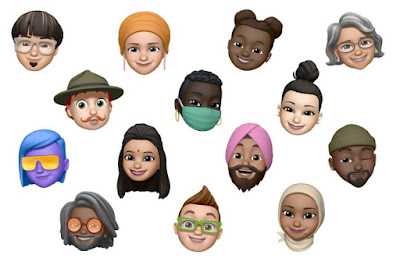
Memoji


  • 11 new hairstyles and 19 new headwear styles to customize your Memoji
  • New Memoji stickers to send a fist bump, hug or blush
  • Six added age options
  • Face covering options


Maps


  • Cycling directions provide routes along bike lanes, bike paths, and bike-friendly roads, taking into consideration elevation or how busy a street is
  • Guides offer recommendations for places to eat, meet friends, or explore, curated by a selection of trusted brands
  • Electric vehicle routing helps you plan trips with supported electric vehicles and automatically adds charging stops along your route
  • Congestion zones help you route around or through active zones in cities like London or Paris
  • Speed cameras let you know when you're approaching speed and red-light cameras along your route
  • Refine Location enables a highly accurate location and orientation when in urban areas with a poor GPS signal


App Clips


  • An App Clip is a small part of an app that developers can create and that is discoverable at the moment you need it, and focused on a specific task
  • Small by design, App Clips are usable in a few seconds
  • Discover App Clips through tapping NFC tags or scanning QR codes, from Messages, Maps, and Safari
  • Recently used App Clips show up in App Library's Recently Added category, and you can download the full version of the app if you want to keep it around


Translate


  • The new Translate app is designed for conversations and can work completely offline so your conversations stay private
  • A split-screen design in conversation mode has a single microphone button that automatically detects which of the selected languages is being spoken and transcribes the original and translated text on the correct sides of the screen
  • Attention mode shows translations in larger text so you can capture someone's attention
  • Voice and text translations are supported for any combination of 11 languages


Siri


  • A new compact design allows you to refer to information onscreen and seamlessly launch into your next task
  • Expanded knowledge brings 20x more facts than three years ago
  • Web answers help find answers to a broader set of questions using information from across the internet
  • Audio messages can be sent with Siri on iOS and CarPlay
  • Expanded language support for the new Siri voice and Siri translation


Search


  • One place where you can find everything: search for apps, contacts, files, quick information like weather and stocks, common knowledge questions about people or places, or even quickly start a web search
  • Top Hit results show the most relevant information including apps, contacts, knowledge, points of interest and websites
  • Quick Launcher allows you to launch an app or website by typing a few characters
  • As-you-type search suggestions show more relevant results as soon as you start typing
  • Web search suggestions to launch Safari and get the most relevant web results
  • Start a search in apps like Mail, Messages and Files


Home


  • Suggested automations help you set up automations with just a tap
  • A visual status at the top of the Home app gives you a summary of accessories that require your attention
  • Dynamic suggestions of the most relevant accessories and scenes appear in Home controls in Control Center
  • Adaptive Lighting automatically adjusts the color of your smart light bulbs throughout the day to maximize comfort and productivity
  • Face Recognition for video cameras and doorbells uses on-device intelligence to let you know who is there based on the people you've tagged in your Photos app and recent visitors you identify in the Home app
  • Activity Zones for video cameras and doorbells captures video or sends you a notification only when motion is detected in areas you define


Safari


  • Improved performance with an even faster JavaScript engine
  • A Privacy Report shows cross-site trackers that are being blocked by Intelligent Tracking Prevention
  • Password monitoring securely screens your saved passwords for any that may have been involved in a data breach
  • Web page translation (beta) translates entire web pages in English, Spanish, Simplified Chinese, French, German, Russian or Brazilian Portuguese


Weather


  • Next-hour precipitation chart shows a minute-by-minute forecast of the intensity of rain or snow over the coming hour for the U.S.
  • Severe weather information displays government-issued alerts about certain severe weather events including tornados, winter storms, flash floods and more, for the U.S., Europe, Japan, Canada, and Australia


AirPods


  • Spatial audio with dynamic head tracking on AirPods Pro places sounds anywhere in space, creating an immersive surround sound experience
  • Automatic device switching transfers audio from your iPhone, iPad, iPod touch, and Mac
  • Battery notifications let you know if you need to charge your AirPods


Privacy


  • A recording indicator is displayed whenever an app has access to the microphone or camera
  • Approximate location can now be shared with an app, rather than sharing your precise location
  • Limited Photos library access gives you the option to share only selected photos with an app whenever an app asks for access
  • App and web developers can now offer the option for you to upgrade your existing accounts to Sign in with Apple


Accessibility


  • Back Tap is a quick way to trigger accessibility features by tapping on the back of your iPhone
  • Headphone accommodations amplify soft sounds and adjust certain frequencies, customized for an individual's hearing
  • Sign language prominence in FaceTime detects when a participant is using sign language and makes the person prominent in a Group FaceTime call
  • Sound Recognition uses on-device intelligence to detect and identify important sounds such as alarms, and alerts you to them using notifications
  • VoiceOver Recognition uses on-device intelligence to recognize elements on your screen to improve VoiceOver support for app and web experiences
  • Image descriptions read complete-sentence descriptions of images and photos within apps and on the web
  • Text recognition speaks the text identified within images and photos
  • Screen Recognition automatically detects interface controls to aid in navigating apps


App Store

  • Important details about each app are displayed in a glanceable, scrollable view, including a way to see the games your friends are playing


Apple Arcade

  • Coming Soon gives you a sneak peek at upcoming Apple Arcade games and you can automatically download them as soon as they're released
  • See All Games is improved with sorting and filtering by release date, updates, category, controller support and more
  • Achievements are browsable right from within the Apple Arcade tab
  • Continue Playing makes it easy to resume recently played games across devices
  • Game Center dashboard showcases your profile, friends, achievements, leaderboards and more, all from within your game


Apple Cash Family

  • Apple Cash can be enabled for up to five family members under 18
  • Send money to your child through Messages or by asking Siri
  • Notifications for purchases or person to person payments as they occur
  • Parental controls to limit who your children can send money to
  • Option to turn off Apple Cash for family members under 18
  • Shared oversight with another adult in your Family Sharing group


Augmented Reality

  • Location Anchors in ARKit 4 enables apps to place AR experiences at a specific geographic coordinate
  • Extended face tracking support is extended to the new iPhone SE
  • Video textures in RealityKit enable apps to apply video to any part of a scene or virtual object


Camera

  • Improved shot-to-shot performance speeds up the time to first shot and makes shooting photos even faster
  • QuickTake video can now also be captured on iPhone XS and iPhone XR when in Photo mode
  • Quick toggles in Video mode to change video resolution and frame rate from the Camera app
  • Updated Night mode capture experience on iPhone 11 and iPhone 11 Pro provides guidance to help you stay steady throughout the capture, as well as an option to cancel the shot mid-capture
  • Exposure compensation control lets you lock an exposure value for an entire camera session
  • Mirror front camera lets you capture selfies that match the front camera preview
  • Improved QR code reading to scan codes, even if they are small or wrapped around objects


CarPlay


  • New categories of supported apps for parking, EV charging, and quick food-ordering
  • Wallpaper options
  • Share ETA and send audio messages with Siri
  • Horizontal status bar support for cars with portrait screens
  • Chinese and Japanese keyboard support gives users an additional option to search for points of interest


FaceTime

  • Improved video quality with up to 1080p resolution on iPhone X and later
  • New eye contact feature uses machine learning to subtly adjust the position of your eyes and face to make video calling more natural even when you're looking at the screen instead of the camera


Files

  • APFS encryption support for external drives


Health


  • Wind Down helps you create a pre-bedtime routine with apps and shortcuts, like listening to a relaxing playlist
  • Custom sleep schedules help you meet your sleep goals with bedtime reminders and wakeup alarms
  • Sleep mode minimizes distractions during Wind Down and Bedtime by turning on Do Not Disturb and simplifying your Lock screen 
  • Health Checklist helps you track and manage health and safety features in one place
  • New Mobility category in the Health app, including metrics like walking speed, double support time, step length, and walking asymmetry


Keyboard and International

  • On-device dictation helps protect your privacy by performing all processing completely offline. Dictation in search uses server-based dictation in order to recognize terms you may be searching for from across the Internet.
  • Search within the Emoji keyboard using a word or phrase
  • Keyboard displays AutoFill suggestions from Contacts for email addresses, phone numbers, and more in apps
  • New dictionaries for French-German, Indonesian-English, Japanese-Simplified Chinese, and Polish-English
  • Wubi input method for Simplified Chinese
  • Autocorrection support for Irish Gaelic and Norwegian Nynorsk
  • Redesigned Japanese Kana keyboard with easier input for numbers
  • Mail supports email addresses using non-Latin languages


Music

  • A new Listen Now tab for playing and discovering your favorite music, artists, playlists and mixes
  • Autoplay keeps music playing when you reach the end of a song or playlist by finding similar songs to play
  • Search now showcases music for your favorite genres and activities, and shows helpful suggestions as you type
  • Library filtering helps you find artists, albums, playlists and other items in your library even faster


Notes

  • Enhanced actions menu provides easy access to locking, scanning, pinning and deleting
  • Top Hits in search surfaces your most relevant search results
  • Pinned Notes list can be collapsed or expanded
  • Shape recognition enables drawing perfect lines, arcs and other shapes
  • Enhanced scanning captures sharper scans and more precise auto-cropping


Photos

  • Filter and sort your collection to more easily locate and organize your photos and videos
  • Pinch and zoom to quickly find your photos and videos in more places, like Favorites and Shared Albums 
  • Photos and videos caption support
  • Live Photos taken using iOS 14 or iPadOS 14 will autoplay with improved stabilization in Years, Months and Days View
  • Memories enhancements provide a more relevant selection of photos and videos and a larger music selection for Memory movies
  • Redesigned image picker in apps uses the same smart search from the Photos app to help you easily find content to share 


Podcasts

  • Listen Now is smarter and includes your personal episode queue and new episodes picked for you


Reminders

  • Assign reminders to people you share lists with
  • New reminders can be created from the lists screen without having to enter a specific list
  • Smart suggestions let you add dates, times and locations with a tap
  • Personalized lists with emoji and newly added symbols
  • Rearrange or hide smart lists


Settings

  • Option to set your default email and web browser


Shortcuts

  • Starter Shortcuts let you get started with a built-in folder of shortcuts, tailored for you
  • Shortcuts automations are suggested based on your usage patterns
  • Folders let you organize your shortcuts and can be added as widgets to the Home Screen
  • New compact design for running shortcuts keeps you in context while you use another app
  • New Automation triggers can run shortcuts based on receiving an email or message, your battery level, closing an app and more
  • Wind Down Shortcuts provide a collection of relaxing shortcuts to help you get ready for a good night's sleep


Voice Memos

  • Folders help organize your Voice Memos recordings
  • Favorites lets you mark your best recordings and quickly access them later
  • Smart Folders automatically group together Apple Watch recordings, recently deleted recordings and recordings you marked as Favorites
  • Enhance Recording reduces background noise and room reverberation


Tuesday, December 13, 2016

Apple Releases iOS 10.2 With New Emoji, TV App, Messages Effects, Wallpapers & More


Apple has released iOS 10.2 to the general public today. The last time that Apple launched an iOS update was on October 31st with iOS 10.1.1. On that same day, Apple released the developer preview of iOS 10.2. To work out the kinks, Apple iOS 10.2 went through seven beta tests before the public release. This update includes several major features and many bug fixes.

You can install iOS 10.2 by connecting your device to iTunes or downloading it by going to Settings > General > Software Update. The iOS 10.2 update is available for the following devices: iPhone 5 and later, iPad 4th generation and later and iPod touch 6th generation and later.


"iOS 10.2 introduces new features including the TV app (US Only), a new and unified experience for accessing your TV shows and movies across multiple video apps. Emoji have been beautifully redesigned to reveal even more detail and over 100 new emoji have been added including new faces, food, animals, sports, and professions. This update also includes stability improvements and bug fixes."

New TV App 

  • Use Up Next to see the movies and shows you’re currently watching and pick up where you left off 
  • Get recommendations for new movies and TV shows in Watch Now 
  • Discover new apps and the latest iTunes releases in the Store 
  • Access the Library for your iTunes purchases and rentals


Emoji 

  • Beautifully redesigned emoji that reveal even more detail 
  • Over 100 new emoji including new faces, food, animals, sports, and professions


Photos 

  • Improves stabilization and delivers faster frame rate for Live Photos 
  • Improves accuracy of groupings of similar photos of the same person in the People album 
  • Fixes an issue where Memories might generate a memory from photos of screenshots, whiteboards or receipts 
  • Fixes an issue where the camera would stay zoomed in after switching back from the Camera Roll on iPhone 7 Plus 
  • Additional support for RAW digital cameras


Messages 

  • Adds new love and celebration full screen effects in Messages 
  • Fixes an issue that sometimes prevented the keyboard from displaying in Messages


Music 

  • Swipe up the Now Playing screen to more easily access Shuffle, Repeat and Up Next 
  • Choose how to sort Playlists, Albums, and Songs in Library


News 

  • Stories you’ve saved for later now appear the new Saved section 
  • The best paid stories from channels you subscribe to will now appear in a dedicated section in For You 
  • It’s now easier than ever to get to the next story, just swipe left or tap Next Story while reading


Mail 

  • Fixes an issue that caused the Move sheet to persist after filing a Mail message 
  • Addresses an issue with long press activating copy and paste in Mail 
  • Fixes an issue in which the wrong message would be selected after deleting a Mail conversation


Accessibility 

  • Adds BraillePen14 support to VoiceOver 
  • Fixes an issue where the braille table could switch unexpectedly with VoiceOver 
  • Fixes an issue where sometimes Siri enhanced voices were unavailable to VoiceOver 
  • Fixes an issue where VoiceOver users could not re-order items in lists 
  • Fixes an issue where Switch Control was sometimes unable to delete Voicemails


Other improvements and fixes 

  • Adds notification support for HomeKit accessories including window coverings, occupancy, motion, door/window, smoke, carbon monoxide, and water leak sensors
  • Adds notification support for HomeKit accessories when software updates are available to HomeKit accessories
  • Improves Bluetooth performance and connectivity with 3rd party accessories
  • Fixes an issue that could cause FaceTime participants to appear out of focus
  • Fixes an issue that could cause FaceTime calls to appear with incorrect aspect ratio and orientation
  • Fixes an issue that prevented some Visual Voicemail from completing playback
  • Fixes a Safari Reader issue that could cause articles to open as empty pages
  • Fixes an issue that could cause Safari to quit unexpectedly after marking an item as read in Reading List


Source: Forbes - Apple Support

More about IOS


Thursday, November 3, 2016

The David Bowie Emoji Has Arrived in New iOS Update


A new emoji inspired by the cover of David Bowie's 1973 album Aladdin Sane will appear on Apple's upcoming iOS 10.2 update, according to Emojipedia. The "singer" emoji is among 16 new professions being added to the keyboard and will feature both a man and woman in front of a microphone with a lightning bolt painted across one eye.

As for the Aladin Sane-inspired emoji, the design is among the more unique tributes to Bowie, who died in January after a long battle with cancer he largely kept secret. Just days before his death, Bowie released his final album, Blackstar, though three of his final recordings recently appeared on the cast album for his musical, Lazarus.

Related Post: Apple Release First iOS 10.2 Beta With New Wallpapers, New Emoji & More
Source: RollingStone


Tuesday, November 1, 2016

Apple Release First iOS 10.2 Beta With New Wallpapers, New Emoji & More


Today Apple released a developer preview of iOS 10.2. The developer preview version of iOS 10.2 arrived just a few hours after the iOS 10.1.1 public release. According to 9to5Mac, the beta of iOS 10.2 revealed several new features that are coming to iOS like three new wallpapers, a new widget for the Videos app, a Preserve Camera setting, a new “Press and Hold to Speak” menu under the Home Button Accessibility settings, a new “Celebration” screen effect for the Messages app, a new “Show Star Ratings” option under the Music app, a new headphone icon in the status bar for Bluetooth audio devices and new Unicode 9.0 emoji.

The Videos widget shows your videos from the camera roll in the Lock Screen. The “Preserve Settings” for the Camera app has several options: you can preserve the last mode such as Video or Square rather than automatically resetting to Photo, preserve the last used filter like Chrome rather than having the photo filter resetting to None, and you can preserve the Live Photo setting rather than automatically resetting to Live Photo turned on. The new “Press and Hold To Speak” feature under the Home Button Accessibility menu lets you select between Siri, Voice Control and Off. And the new “Show Star Ratings” feature under the Music menu lets you access star ratings from the action sheets for songs and the Star ratings do not affect “For You” recommendations.


There's new feature of iOS 10.2 Beta: 

- Three new wallpapers in iOS 10.2 beta 


- New widget for Videos app 


- New Preserve Camera setting 


- New emoji (looks like Unicode 9.0 update/ likely on macOS 10.12.2, watchOS 3.1.1) 


- New ‘Press and Hold to Speak’ menu under Home Button Accessibility settings 


- New ‘Celebration’ Messages screen effect 


- New ‘Show Star Ratings’ option under Music Settings 


- New headphone icon in status bar for Bluetooth audio devices

Screenshot:


Source: Emojipedia, Forbes, 9to5Mac