Search

Showing posts with label iPad. Show all posts

Monday, June 7, 2021

#WWDC21 Keynote: New iPadOS 15 with New Multitasking Menu, Widgets and App Library and More Features


iPad gets more intuitive multitasking, a new Home Screen design with integrated widgets, the App Library, systemwide note taking with Quick Note, SharePlay, a redesigned Safari experience, and new tools to stay focused.

Apple today previewed iPadOS 15, with new features that take advantage of the unique capabilities of iPad, helping users be more productive and taking the versatility of iPad even further. iPadOS 15 introduces a multitasking experience that is even more intuitive, making features like Split View and Slide Over easier to discover, easier to use, and more powerful. Notes goes systemwide with Quick Note, and offers new ways to collaborate and organize whether typing or writing with Apple Pencil. New widget layouts for the Home Screen and App Library offer simple ways to personalize the iPad experience and organize apps. Translate delivers new features for translating text and conversations, and users can now build apps for iPhone and iPad, on iPad, with Swift Playgrounds. iPadOS 15 also includes new privacy controls in Siri, Mail, and more places across the system to further protect user information.

Get More Done with Multitasking and Keyboard Shortcuts

iPadOS 15 makes working with multiple apps easier than ever. A new multitasking menu appears at the top of apps, letting users go into Split View or Slide Over with just a tap. Users now have quick access to the Home Screen when using Split View, making it easier to get to the right app. Using the new shelf, they can also multitask with apps that have multiple windows like Safari and Pages, as well as quickly preview emails. 

The experience with an external keyboard allows users to get more done with all-new keyboard shortcuts and a redesign of the menu bar. Users can quickly set up and switch between Split View and Slide Over with new shortcuts for multitasking right from the keyboard.


Organize and Personalize iPad with Widgets and the App Library

Users can now place widgets among apps on Home Screen pages, providing more information at a glance and offering a more personalized experience. Designed specifically for the larger display of iPad, a new, larger widget size is perfect for showcasing videos, music, games, photos, and more. iPadOS 15 also brings all-new widgets for App Store, Find My, Game Center, Mail, and Contacts.

Also coming to iPad is the App Library, automatically organizing apps into helpful categories like Productivity, Games, and Recently Added, and allowing users to access all their apps right from the Dock.


Capturing Thoughts with Quick Note and Organizing with Tags

Note taking on iPad gets even better with new features that make it easier to capture and organize thoughts. Notes goes systemwide with Quick Note, a fast and easy way to take notes anywhere across the system. Whether browsing in Safari or finding a restaurant on Yelp, users can bring up Quick Note anywhere to jot down a thought and add links, providing an easy way to get back to exactly what they were looking at.

Notes also has new ways to organize, collaborate, and capture information. Tags make it easy to categorize notes and find them quickly with an all-new Tag Browser and tag-based Smart Folders. For users working with others in shared notes, mentions create a way to notify collaborators and link them back to the note, and a new Activity view shows recent updates in the note.


More Natural FaceTime Calls and Shared Experiences with SharePlay

FaceTime helps users easily connect with those who matter most, and with iPadOS 15, conversations with friends and family feel even more natural. Users can now share experiences with SharePlay while connecting with friends on FaceTime, including listening to songs together with Apple Music, watching a TV show or movie in sync, or sharing their screen to view apps together. Shared playback controls let anyone play, pause, or jump ahead. Users can extend playback to Apple TV, and watch it on their TV while sharing the moment with friends and family connected over FaceTime. SharePlay also lets users share their screen, perfect for browsing the web together.


A Redesigned Browsing Experience with Safari

Safari gets a new tab design that lets users see more of the page as they browse. A new tab bar takes on the color of the webpage and combines tabs, the toolbar, and the search field into a single, compact design. Tab Groups offer a new way to easily save and manage tabs — great for planning trips, shopping, or storing frequently visited tabs. Tab Groups also sync across Mac and iPhone, so users can continue their project from anywhere or easily share them with friends and family. Safari on iPad also now supports web extensions, available from the App Store.


Tools to Find Focus

iPadOS 15 delivers powerful tools that help users focus and reduce distractions. Focus is a new feature that filters notifications based on what a user is doing. Users can set their device to help them be in the moment by creating a custom Focus or selecting a suggested one based on their context, like during their work hours or while they’re winding down for bed. Users can also create Home Screen pages with apps and widgets that apply to moments of focus to only display relevant apps and reduce temptation.

A new notification summary offers an organized collection of notifications that can be delivered any time the user chooses, such as in the morning and evening, making it easy to catch up on the day’s activity at their convenience.


On-Device Intelligence Powers New Photo Features

Live Text uses on-device intelligence to recognize text in a photo and allow users to take action.1 For example, a snapshot of a storefront may reveal a phone number and the option to place a call. With Visual Look Up, users can identify objects within a photo, such as a type of flower or dog breed.

Spotlight now adds the ability to search the Photos app and web images, and has all-new rich results for contacts with context like recent conversations, shared photos, and their location if shared through Find My. Leveraging Live Text, Spotlight makes it easy to look up a photo of a public transit map, receipt, or a screenshot of a cooking recipe. Live Text also works with handwritten text — great for searching photos of whiteboards or notes.


Translate Comes to iPad with New Ways to Communicate

The Translate app comes to iPad with new features that make conversations easier and more natural. When using the Translate app, Auto Translate detects when someone is speaking, and in which language, so users can converse naturally without having to tap a microphone button. For even more personal conversations, face-to-face view allows two people to sit across from each other with iPad between them and see translations of the conversation from their own side. Text can now be translated anywhere on iPad by selecting it and tapping Translate, and handwritten text can also be translated. In combination with Live Text, users can even translate text in photos.


Build Apps with Swift Playgrounds

Swift Playgrounds is the best and easiest way to learn how to code. And now with Swift Playgrounds 4,2 users have the tools to build iPhone and iPad apps right on their iPad and submit them directly to the App Store, offering new ways for anyone to create apps and share them with the world.3 Code is immediately reflected in the live preview while building apps, and users can run their apps full screen to test them out. A new open project format based on Swift packages can open and be edited in Swift Playgrounds for iPad as well as within Xcode on Mac, offering users even more versatility to develop apps across iPad and Mac.


Additional iPadOS 15 Features

  • Universal Control lets users work with a single mouse and keyboard to move between iPad and Mac for a seamless experience, with no setup required. Users can even drag and drop content back and forth between devices — great for sketching a drawing with Apple Pencil on iPad and placing it into a Keynote slide on Mac.
  • Shared with You works across the system to find the articles, music, TV shows, photos, and more that are shared in Messages conversations, and conveniently surfaces them in apps like Photos, Safari, Apple News, Music, Podcasts, and the Apple TV app, making it easy to quickly access the information in context.
  • Photos includes the biggest update ever to Memories, with a fresh, new look; an immersive, interactive interface; and integration with Apple Music, which uses on-device intelligence to personalize song suggestions that bring memories to life.
  • Maps delivers new ways to navigate and explore the world. Users will experience significantly enhanced details in cities for neighborhoods, commercial districts, elevation, and buildings, new road colors and labels, custom-designed landmarks, and a new night-time mode with a moonlit glow.
  • Privacy is taken to the next level with new protections, transparency features, and controls. Mail Privacy Protection helps stop trackers from snooping on an email, and App Privacy Report provides transparency into how apps are sharing information with other companies.4
  • Siri is designed to protect user privacy. Now, with on-device speech recognition, audio of Siri requests is processed entirely on iPad by default,5 and performance improves significantly. Siri also adds Announce Notifications on AirPods, the ability for users to share what’s on their screen just by asking, and more.
  • iCloud+ combines everything users love about iCloud with new premium features, including Hide My Email, expanded HomeKit Secure Video support, and an innovative new internet privacy service, iCloud Private Relay, at no additional cost.6 Current iCloud subscribers will be upgraded to iCloud+ automatically this fall. All iCloud+ plans can be shared with people in the same Family Sharing group, so everyone can enjoy the new features, storage, and elevated experience that comes with the service.
  • New accessibility features are designed to work the way users do. The VoiceOver screen reader now uses on-device intelligence to explore objects within images, enabling users to discover more details about the people, text, table data, and other objects within images. Support for third-party eye-tracking hardware enables users to control iPad using only their eyes. Background sounds play continuously and mix into or duck under other audio and system sounds to mask unwanted environmental or external noise, and help users focus, stay calm, or rest. Sound Actions lets users customize Switch Control to work with mouth sounds. Users can now customize display and text size on an app-by-app basis.

Source: Apple


Tuesday, April 20, 2021

Apple Event April 20, 2021: Introducing New iPad Pro with M1 Chip, Ultra-fast 5G & Liquid Retina XDR Display


CUPERTINO, CALIFORNIA Apple today announced the most powerful and advanced iPad Pro ever, pushing the limits of what’s possible on iPad. The addition of the Apple-designed M1 chip delivers a massive leap in performance, making iPad Pro the fastest device of its kind. The 12.9-inch iPad Pro features a new Liquid Retina XDR display that brings extreme dynamic range to iPad Pro, offering a stunning visual experience with more true-to-life details to the most demanding HDR workflows. Cellular models with 5G deliver even faster wireless connectivity when on the go, and to provide users with pro-level throughput for high-speed accessories, iPad Pro now includes support for Thunderbolt. Additionally, an all-new Ultra Wide front camera enables Center Stage, a new feature that automatically keeps users perfectly framed for even more engaging video calls. The new iPad Pro is available to order beginning Friday, April 30, on apple.com, and will be available in the second half of May

The revolutionary M1 chip has been a breakthrough for the Mac, and we’re incredibly excited to bring it to iPad Pro,” said Greg Joswiak, Apple’s senior vice president of Worldwide Marketing. “With M1’s huge jump in performance, a groundbreaking extreme dynamic range experience on the 12.9-inch Liquid Retina XDR display, up to 2TB of high-speed storage, Thunderbolt expansion, a four-speaker audio system, pro cameras with LiDAR Scanner, blazing-fast 5G connectivity, an amazing video-calling experience with Center Stage — combined with the advanced features of iPadOS and a powerful pro app ecosystem all in a device users can hold in one hand — there’s nothing else like iPad Pro.”


M1 Comes to iPad Pro

The breakthrough M1 chip takes the industry-leading performance of iPad Pro to an entirely new level. The 8-core CPU design features the world’s fastest CPU cores in low-power silicon — delivering up to 50 percent faster CPU performance than A12Z Bionic. The 8-core GPU is in a class of its own, delivering up to 40 percent faster GPU performance. This combination of CPU and graphics performance on iPad Pro widens its lead as the fastest device of its kind. Powerful custom technologies, including a next-generation 16-core Apple Neural Engine, an advanced image signal processor (ISP), a unified, high-bandwidth memory architecture with up to 16GB of memory, 2x faster storage, and up to 2TB capacity, make iPad Pro more capable than ever. The industry-leading power efficiency of M1 enables all of that amazing performance along with all-day battery life in the thin and light design of iPad Pro.1 Because M1 shares the same fundamental architecture of A-series chips, iPadOS is already optimized to take full advantage of the powerful technologies in M1 to easily handle everything from simple navigation to the most demanding workflows.


12.9-inch Liquid Retina XDR Display Brings Extreme Dynamic Range to iPad Pro

The new Liquid Retina XDR display brings the stunning front-of-screen performance of the Pro Display XDR to the 12.9-inch iPad Pro. Engineered with a new cutting-edge mini-LED design that uses over 10,000 LEDs across the entire back of the display, the Liquid Retina XDR display features up to 1000 nits of full-screen brightness, 1600 nits of peak brightness, and a phenomenal 1 million-to-1 contrast ratio to enhance creative workflows. The result is a stunning visual experience that reflects what can be seen in the real world by capturing the brightest highlights and the most subtle details in even the darkest images. Now creative professionals, including photographers, videographers, and filmmakers, can view and edit true-to-life HDR content on a large display they can take anywhere. The new Liquid Retina XDR display includes other advanced technologies that can also be found in the 11-inch iPad Pro, including ProMotion, True Tone, and P3 wide color support, delivering an unmatched mobile cinematic viewing experience for HDR and Dolby Vision content.


Faster Speeds with 5G

With 5G available on iPad Pro, customers on the go can do even more with better performance and access to next-generation download and upload speeds — great for higher-quality video streaming, real-time collaboration, or FaceTime in high definition. Users can stay creative and productive using a secure, fast connection, reducing the need to connect to public Wi-Fi hotspots. Featuring the most 5G bands on any device of its kind, iPad Pro offers the broadest 5G coverage worldwide. iPad Pro models in the US support millimeter wave, the higher frequency version of 5G, allowing iPad Pro to reach speeds up to 4Gbps. iPad Pro also features support for eSIM, making it easy to find a network and sign up for a 5G data plan on the spot.


Thunderbolt Comes to iPad Pro

Support for Thunderbolt and USB 4 makes the USB-C port on iPad Pro the fastest, most versatile port ever on an iPad, with 4x more bandwidth for wired connections than the previous iPad Pro — up to 40Gbps. Thunderbolt supports 10Gbps Ethernet and opens up a massive ecosystem of high-performance accessories, like faster external storage and even higher resolution external displays, including the Pro Display XDR at full 6K resolution, all connected using high-performance cables and docks. With support for more peripherals than ever, iPad Pro now fits even more seamlessly into creative workflows.


Center Stage Delivers a New, More Engaging Experience for Video Calls

The TrueDepth camera system on iPad Pro features an all-new 12MP Ultra Wide front camera designed specifically for iPad, enabling Center Stage, a new experience for video calls. Center Stage uses the much larger field of view on the new front camera and the machine learning capabilities of M1 to recognize and keep users centered in the frame. As users move around, Center Stage automatically pans to keep them in the shot. When others join in, the camera detects them too, and smoothly zooms out to fit everyone into the view and make sure they are part of the conversation. So whether whiteboarding with coworkers or attending a virtual family gathering, the experience of connecting is now more engaging than ever.

Additional New Features of iPad Pro
  • The ISP and Neural Engine in M1 unlock even more capability from the pro camera system, bringing support for Smart HDR 3 for the first time to iPad Pro. And in low-light conditions, the ISP and LiDAR Scanner quickly and accurately focus images and videos to capture incredible details from almost no light at all.
  • The Magic Keyboard, which offers a comfortable typing experience with backlit keys, an integrated trackpad, and its floating design, now comes in a gorgeous new White color.
  • iPadOS 14.5, which will be available to iPad customers starting next week, comes with new additions, including expanded language support for Apple Pencil features like Scribble and Smart Selection, new emoji, support for the latest gaming controllers, and the ability to share lyrics and see top songs in cities around the world with Apple Music.

Source: Apple Newsroom


Saturday, September 19, 2020

Apple iOS 14 New Feature & Tips


apple finally revealed new ios 14 for all user on september 16 after september event 2020. ios 14 is one of apple's biggest ios updates to date, introducing home screen design changes, major new features, updates for existing apps and more. 

all the devices that supported ios 13 also support ios 14.the iphone 6s, the iphone 6s plus and the first-generation iphone se are the oldest iphone models with the ability to support ios 14.

All-new Widgets


  • Redesigned widgets can be placed right on the Home Screen
  • Small, medium and large widget sizes allow you to pick the amount of information to display
  • Widget stacks make the most of your Home Screen space and the Smart Stack uses on-device intelligence to surface the right widget at the right time
  • Widget gallery includes all available widgets to browse and choose from
  • Redesigned Apple widgets for Weather, Clock, Calendar, News, Maps, Fitness, Photos, Reminders, Stocks, Music, TV, Tips, Notes, Shortcuts, Battery, Screen Time, Files, Podcasts, and Siri Suggestions.


App Library


  • The App Library automatically organizes all of your apps into categories
  • The Suggestions category uses on-device intelligence to show apps you're likely to be looking for based on factors like time of day or location
  • The Recently Added category shows apps that were recently downloaded from the App Store, as well as App Clips that were recently launched
  • Ability to hide Home Screen pages to get to the App Library even faster by tapping on the dots at the bottom of the screen while in jiggle mode


Compact Design


  • Incoming Phone and FaceTime calls appear as a banner at the top of the screen
  • Siri has a compact design that allows you to refer to information onscreen and seamlessly launch into your next task
  • Picture in Picture enables watching a video or taking a FaceTime call while you use another app


Messages


  • Pinned conversations keep up to nine of your favorite message threads at the top of the list
  • Mentions let you direct a message to an individual in a group conversation
  • Inline replies let you reply to a specific message and see all related messages in their own view
  • Group photos can be customized for a shared group look


Memoji


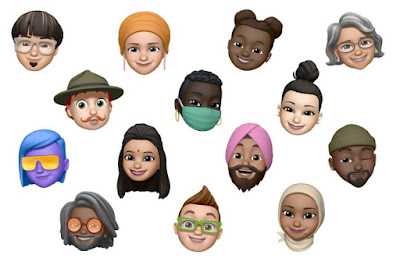
  • 11 new hairstyles and 19 new headwear styles to customize your Memoji
  • New Memoji stickers to send a fist bump, hug or blush
  • Six added age options
  • Face covering options


Maps


  • Cycling directions provide routes along bike lanes, bike paths, and bike-friendly roads, taking into consideration elevation or how busy a street is
  • Guides offer recommendations for places to eat, meet friends, or explore, curated by a selection of trusted brands
  • Electric vehicle routing helps you plan trips with supported electric vehicles and automatically adds charging stops along your route
  • Congestion zones help you route around or through active zones in cities like London or Paris
  • Speed cameras let you know when you're approaching speed and red-light cameras along your route
  • Refine Location enables a highly accurate location and orientation when in urban areas with a poor GPS signal


App Clips


  • An App Clip is a small part of an app that developers can create and that is discoverable at the moment you need it, and focused on a specific task
  • Small by design, App Clips are usable in a few seconds
  • Discover App Clips through tapping NFC tags or scanning QR codes, from Messages, Maps, and Safari
  • Recently used App Clips show up in App Library's Recently Added category, and you can download the full version of the app if you want to keep it around


Translate


  • The new Translate app is designed for conversations and can work completely offline so your conversations stay private
  • A split-screen design in conversation mode has a single microphone button that automatically detects which of the selected languages is being spoken and transcribes the original and translated text on the correct sides of the screen
  • Attention mode shows translations in larger text so you can capture someone's attention
  • Voice and text translations are supported for any combination of 11 languages


Siri


  • A new compact design allows you to refer to information onscreen and seamlessly launch into your next task
  • Expanded knowledge brings 20x more facts than three years ago
  • Web answers help find answers to a broader set of questions using information from across the internet
  • Audio messages can be sent with Siri on iOS and CarPlay
  • Expanded language support for the new Siri voice and Siri translation


Search


  • One place where you can find everything: search for apps, contacts, files, quick information like weather and stocks, common knowledge questions about people or places, or even quickly start a web search
  • Top Hit results show the most relevant information including apps, contacts, knowledge, points of interest and websites
  • Quick Launcher allows you to launch an app or website by typing a few characters
  • As-you-type search suggestions show more relevant results as soon as you start typing
  • Web search suggestions to launch Safari and get the most relevant web results
  • Start a search in apps like Mail, Messages and Files


Home


  • Suggested automations help you set up automations with just a tap
  • A visual status at the top of the Home app gives you a summary of accessories that require your attention
  • Dynamic suggestions of the most relevant accessories and scenes appear in Home controls in Control Center
  • Adaptive Lighting automatically adjusts the color of your smart light bulbs throughout the day to maximize comfort and productivity
  • Face Recognition for video cameras and doorbells uses on-device intelligence to let you know who is there based on the people you've tagged in your Photos app and recent visitors you identify in the Home app
  • Activity Zones for video cameras and doorbells captures video or sends you a notification only when motion is detected in areas you define


Safari


  • Improved performance with an even faster JavaScript engine
  • A Privacy Report shows cross-site trackers that are being blocked by Intelligent Tracking Prevention
  • Password monitoring securely screens your saved passwords for any that may have been involved in a data breach
  • Web page translation (beta) translates entire web pages in English, Spanish, Simplified Chinese, French, German, Russian or Brazilian Portuguese


Weather


  • Next-hour precipitation chart shows a minute-by-minute forecast of the intensity of rain or snow over the coming hour for the U.S.
  • Severe weather information displays government-issued alerts about certain severe weather events including tornados, winter storms, flash floods and more, for the U.S., Europe, Japan, Canada, and Australia


AirPods


  • Spatial audio with dynamic head tracking on AirPods Pro places sounds anywhere in space, creating an immersive surround sound experience
  • Automatic device switching transfers audio from your iPhone, iPad, iPod touch, and Mac
  • Battery notifications let you know if you need to charge your AirPods


Privacy


  • A recording indicator is displayed whenever an app has access to the microphone or camera
  • Approximate location can now be shared with an app, rather than sharing your precise location
  • Limited Photos library access gives you the option to share only selected photos with an app whenever an app asks for access
  • App and web developers can now offer the option for you to upgrade your existing accounts to Sign in with Apple


Accessibility


  • Back Tap is a quick way to trigger accessibility features by tapping on the back of your iPhone
  • Headphone accommodations amplify soft sounds and adjust certain frequencies, customized for an individual's hearing
  • Sign language prominence in FaceTime detects when a participant is using sign language and makes the person prominent in a Group FaceTime call
  • Sound Recognition uses on-device intelligence to detect and identify important sounds such as alarms, and alerts you to them using notifications
  • VoiceOver Recognition uses on-device intelligence to recognize elements on your screen to improve VoiceOver support for app and web experiences
  • Image descriptions read complete-sentence descriptions of images and photos within apps and on the web
  • Text recognition speaks the text identified within images and photos
  • Screen Recognition automatically detects interface controls to aid in navigating apps


App Store

  • Important details about each app are displayed in a glanceable, scrollable view, including a way to see the games your friends are playing


Apple Arcade

  • Coming Soon gives you a sneak peek at upcoming Apple Arcade games and you can automatically download them as soon as they're released
  • See All Games is improved with sorting and filtering by release date, updates, category, controller support and more
  • Achievements are browsable right from within the Apple Arcade tab
  • Continue Playing makes it easy to resume recently played games across devices
  • Game Center dashboard showcases your profile, friends, achievements, leaderboards and more, all from within your game


Apple Cash Family

  • Apple Cash can be enabled for up to five family members under 18
  • Send money to your child through Messages or by asking Siri
  • Notifications for purchases or person to person payments as they occur
  • Parental controls to limit who your children can send money to
  • Option to turn off Apple Cash for family members under 18
  • Shared oversight with another adult in your Family Sharing group


Augmented Reality

  • Location Anchors in ARKit 4 enables apps to place AR experiences at a specific geographic coordinate
  • Extended face tracking support is extended to the new iPhone SE
  • Video textures in RealityKit enable apps to apply video to any part of a scene or virtual object


Camera

  • Improved shot-to-shot performance speeds up the time to first shot and makes shooting photos even faster
  • QuickTake video can now also be captured on iPhone XS and iPhone XR when in Photo mode
  • Quick toggles in Video mode to change video resolution and frame rate from the Camera app
  • Updated Night mode capture experience on iPhone 11 and iPhone 11 Pro provides guidance to help you stay steady throughout the capture, as well as an option to cancel the shot mid-capture
  • Exposure compensation control lets you lock an exposure value for an entire camera session
  • Mirror front camera lets you capture selfies that match the front camera preview
  • Improved QR code reading to scan codes, even if they are small or wrapped around objects


CarPlay


  • New categories of supported apps for parking, EV charging, and quick food-ordering
  • Wallpaper options
  • Share ETA and send audio messages with Siri
  • Horizontal status bar support for cars with portrait screens
  • Chinese and Japanese keyboard support gives users an additional option to search for points of interest


FaceTime

  • Improved video quality with up to 1080p resolution on iPhone X and later
  • New eye contact feature uses machine learning to subtly adjust the position of your eyes and face to make video calling more natural even when you're looking at the screen instead of the camera


Files

  • APFS encryption support for external drives


Health


  • Wind Down helps you create a pre-bedtime routine with apps and shortcuts, like listening to a relaxing playlist
  • Custom sleep schedules help you meet your sleep goals with bedtime reminders and wakeup alarms
  • Sleep mode minimizes distractions during Wind Down and Bedtime by turning on Do Not Disturb and simplifying your Lock screen 
  • Health Checklist helps you track and manage health and safety features in one place
  • New Mobility category in the Health app, including metrics like walking speed, double support time, step length, and walking asymmetry


Keyboard and International

  • On-device dictation helps protect your privacy by performing all processing completely offline. Dictation in search uses server-based dictation in order to recognize terms you may be searching for from across the Internet.
  • Search within the Emoji keyboard using a word or phrase
  • Keyboard displays AutoFill suggestions from Contacts for email addresses, phone numbers, and more in apps
  • New dictionaries for French-German, Indonesian-English, Japanese-Simplified Chinese, and Polish-English
  • Wubi input method for Simplified Chinese
  • Autocorrection support for Irish Gaelic and Norwegian Nynorsk
  • Redesigned Japanese Kana keyboard with easier input for numbers
  • Mail supports email addresses using non-Latin languages


Music

  • A new Listen Now tab for playing and discovering your favorite music, artists, playlists and mixes
  • Autoplay keeps music playing when you reach the end of a song or playlist by finding similar songs to play
  • Search now showcases music for your favorite genres and activities, and shows helpful suggestions as you type
  • Library filtering helps you find artists, albums, playlists and other items in your library even faster


Notes

  • Enhanced actions menu provides easy access to locking, scanning, pinning and deleting
  • Top Hits in search surfaces your most relevant search results
  • Pinned Notes list can be collapsed or expanded
  • Shape recognition enables drawing perfect lines, arcs and other shapes
  • Enhanced scanning captures sharper scans and more precise auto-cropping


Photos

  • Filter and sort your collection to more easily locate and organize your photos and videos
  • Pinch and zoom to quickly find your photos and videos in more places, like Favorites and Shared Albums 
  • Photos and videos caption support
  • Live Photos taken using iOS 14 or iPadOS 14 will autoplay with improved stabilization in Years, Months and Days View
  • Memories enhancements provide a more relevant selection of photos and videos and a larger music selection for Memory movies
  • Redesigned image picker in apps uses the same smart search from the Photos app to help you easily find content to share 


Podcasts

  • Listen Now is smarter and includes your personal episode queue and new episodes picked for you


Reminders

  • Assign reminders to people you share lists with
  • New reminders can be created from the lists screen without having to enter a specific list
  • Smart suggestions let you add dates, times and locations with a tap
  • Personalized lists with emoji and newly added symbols
  • Rearrange or hide smart lists


Settings

  • Option to set your default email and web browser


Shortcuts

  • Starter Shortcuts let you get started with a built-in folder of shortcuts, tailored for you
  • Shortcuts automations are suggested based on your usage patterns
  • Folders let you organize your shortcuts and can be added as widgets to the Home Screen
  • New compact design for running shortcuts keeps you in context while you use another app
  • New Automation triggers can run shortcuts based on receiving an email or message, your battery level, closing an app and more
  • Wind Down Shortcuts provide a collection of relaxing shortcuts to help you get ready for a good night's sleep


Voice Memos

  • Folders help organize your Voice Memos recordings
  • Favorites lets you mark your best recordings and quickly access them later
  • Smart Folders automatically group together Apple Watch recordings, recently deleted recordings and recordings you marked as Favorites
  • Enhance Recording reduces background noise and room reverberation


Friday, April 10, 2015

Apple Release iOS 8.3 With New Feature, Bug Fixes & 300 New Emoji


beberapa hari lalu apple merilis ios 8.3 dengan beberapa perbaikan bug dan performance serta redesain emoji keyboard. untuk memperbaharui sistem operasi tersebut pengguna langsung dapat menuju menu "software update" dari perangkat ios (iphone. ipad).

selaim merilis update terbaru ios, apple juga mengeluarkan update operating system os x yosemite v.10.10.3 untuk perangkat mac dengan tambahan aplikasi "photo for mac os x" yang baru yang terhubung dengan icloud photo library.

ios terbaru 8.3 menambahkan 300 karakter emoji baru "racially diverse emoji" yang memungkinkan pengguna untuk memilik emoji dengan karakter dan ras yang berbeda. tinggal geser-geser, tekan dan tahan icon dan pilih warna kulit yang diinginkan.


fitur siri di ios 8.3 juga diperbarui dengan tambahan beberapa bahasa seperti english (india, new zealand), denmark, belanda, portugis, rusia, swiss, thailand dan turki. untuk bahasa indonesia belumada kejelasan ditambahkan ke siri.

buat pengguna perangkat ios yang sering kerepotan harus memasukkan password di itunes saat memdownload aplikasi gratis, saat ini dengan ios 8.3 tidak lagi perlu password, dengan catatan fitur "touch id" juga dinonaktifkan.

untuk masalah message atau pesan, di ios 8.3 sudah dapat diatur untuk memisahkan pesan-pesan dalam group, termasuk pesan yang tidak dikenal atau bahkan yang sering membanjiri kotak pesan dengan sms iklan. ada fitur junk report message yang langsung dapat ditambahkan dari aplikasi message untuk melaporkan pesan-pesan sampah tersebut.

untuk pengguna "car play" ada beberapa perbaikan seperti black screen, incorrect rotation dan bugs yang sering terjadi saat keyboard tidak tampak di perangkat yang terkoneksi dengan "car play".

berikut beberapa update notes ios 8.3 dari halaman ios 8 apple:

This release includes improved performance, bug fixes, and a redesigned Emoji keyboard. Changes include:

Improved performance for:

    •    App launch
    •    App responsiveness
    •    Messages
    •    Wi-Fi
    •    Control Center
    •    Safari tabs
    •    3rd-party keyboards
    •    Keyboard shortcuts
    •    Simplified Chinese keyboard

Wi-Fi and Bluetooth fixes

  • Fixes an issue where you could be continuously prompted for login credentials
  • Addresses an issue where some devices disconnect intermittently from Wi-Fi networks
  • Fixes an issue where hands-free phone calls could become disconnected
  • Fixes an issue where audio playback could stop working with some bluetooth speakers


Orientation and rotation fixes

  • Addresses an issue that sometimes prevented rotating back to portrait after having rotated to landscape
  •  Improves performance and stability issues that occurred when rotating the device between portrait and landscape
  • Fixes an issue where device orientation appeared upside down after pulling the iPhone 6 Plus from your pocket
  • Resolves an issue that sometimes prevented apps from rotating to correct orientation after switching apps in multitasking


Messages fixes

  • Address issues that caused group messages to sometimes split
  • Fixes an issue that sometimes removed the ability to forward or delete individual messages
  • Resolves an issue that sometimes prevented a preview from appearing when taking a photo in Messages
  • Adds the ability to report junk messages directly from the Messages app
  • Adds the ability to filter out iMessages that are not sent by your contacts


Family Sharing fixes

  • Fixes a bug where certain apps would not launch or update on family members’ devices
  • Fixes a bug that prevented family members from downloading certain free apps
  • Increased reliability for Ask to Buy notifications


CarPlay fixes

  • Fixes an issue where Maps could come up as a black screen
  • Fixes an issue where the UI could be incorrectly rotated
  • Fixes an issue where the keyboard could appear on the CarPlay screen when it shouldn't


Enterprise fixes

  • Improves reliability of installing and updating enterprise apps
  • Corrects the time zone of Calendar events created in IBM Notes
  • Fixes a problem that could cause web clip icons to become generic after restarting
  • Improves reliability of saving the password for a web proxy
  • Exchange out-of-office message can now be edited separately for external replies
  • Improves recovery of Exchange accounts from temporary connection problems
  • Improves compatibility of VPN and web proxy solutions


  • Allows use of physical keyboards to log into Safari web sheets, such as for joining a public Wi-FI network
  • Fixes an issue that caused Exchange meetings with long notes to be truncated


Accessibility fixes

  • Fixes an issue where using the back button in Safari causes VoiceOver gestures to not respond
  • Fixes an issue where VoiceOver focus becomes unreliable in draft Mail messages
  • Fixes an issue where Braille Screen Input cannot be used to type text in forms on webpages
  • Fixes an issue where toggling Quick Nav on a Braille Display announces that Quick Nav is off
  • Fixes issue keeping app icons from being moveable on home screen when VoiceOver is enabled
  • Fixes an issue in Speak Screen where speech will not start again after pausing


Other improvements and bug fixes

  • Introduces a redesigned Emoji keyboard with over 300 new characters
  • iCloud Photo Library has been optimized to work with the new Photos app on OS X 10.10.3 and is now out of beta
  • Improves the pronunciation of street names during turn-by-turn navigation in Maps
  • Includes support for Baum VarioUltra 20 and VarioUltra 40 braille displays
  • Improves the display of Spotlight results when Reduce Transparency is turned on
  • Adds Italic and Underline format options for iPhone 6 Plus landscape keyboard
  • Adds the ability to remove shipping and billing addresses used with Apple Pay
  • Additional language and country support for Siri: English (India, New Zealand), Danish (Denmark), Dutch (Netherlands), Portuguese (Brazil), Russian (Russia), Swedish (Sweden), Thai (Thailand), Turkish (Turkey)
  • Additional dictation languages: Arabic (Saudi Arabia, United Arab Emirates) and Hebrew (Israel)
  • Improves stability for Phone, Mail, Bluetooth connectivity, Photos, Safari tabs, Settings, Weather and Genius Playlists in Music
  • Address an issue where Slide to Unlock could fail to work on certain devices
  • Addresses an issue that sometimes prevented swiping to answer a phone call on the Lock screen
  • Addresses an issue that prevented opening links in Safari PDFs
  • Fixes an issue where selecting Clear History and Website Data in Safari Settings did not clear all data
  • Fixes an issue that prevented autocorrecting "FYI"
  • Addresses an issue where contextual predictions did not appear in Quick Reply
  • Fixes an issue where Maps did not enter night mode from hybrid mode
  • Resolves an issue that prevented initiating FaceTime calls from a browser or 3rd-party app using FaceTime URLs
  • Fixes an issue that sometimes prevented photos from properly exporting to Digital Camera Image folders on Windows
  • Fixes an issue that sometimes prevented an iPad backup from completing with iTunes
  • Fixes an issue that could cause Podcast downloads to stall when switching from Wi-Fi to cellular networks
  • Fixes an issue where remaining time on timer would sometimes incorrectly display as 00:00 on Lock screen
  • Fixes an issue that sometimes prevented adjusting call volume
  • Fixes an issues that caused the status bar to sometimes appear when it shouldn’t


Tuesday, March 24, 2015

Instagram Launch New Photo Collage App "Layout"


layanan photo sharing instagram milik facebook merilis aplikasi baru yang diberi nama "layout" yang dapat digunakan para pengguna ios (iphone dan ipad) tanpa harus mendaftar ataupun login menggunakan akun instagram ataupun facebook. seperti namanya "layout"seperti aplikasi kolase foto yang otomatis akan membuat kumpulan foto dalam beberapa frame (maksimal 9 frame) dari foto-foto yang ada di galeri iphone/ ipad.

ada 3 pilihan foto yang bisa diambil dari galeri dengan memilih "all" untuk semua foto, "face" hanya akan menampilkan foto dengan wajah dan "recents" yang akan menampilkan 30 foto terakhir. kolase foto yang sudah dipilihpun juga bisa diatur lagi dengan memilih menu "replace" atau mengganti gambar serta "mirror" dan "flip" untuk memutar seperti cermin maupun memutar foto.

selain kemampuan mengambil foto dari galeri untuk dijadikam kolase foto, aplikasi "layout" juga memiliki fitur "photo booth" yang dapat digunakan untuk berfoto selfie dalam beberapa gaya dan tersedia "countdown" sebelum pengambilan gambar. beberapa foto yang diambil secara langsung tersebut bisa dipilih dan langsung berupa kolase yang juga dapat dipilih dan diedit sebelum disimpan di galeri atau dibagikan melalui instagram maupun facebook dan beberapa layanan lainnya.

saat ini "layout" hanya tersedia bagi penggunba ios dan dapat didownload langsung di apple itunes store.

screenshot:


Saturday, March 21, 2015

Cara Mudah Transfer Kontak dari iPhone Ke Android Dengan Aplikasi My Contacts Backup


kadangkala pengguna gadget memiliki beberapa smartphone atau bahkan mau ganti gadget tapi gak mau nyalin kontak telepon satu persatu. banyak cara sih karena saat ini juga banyak aplikasi yang menyediakan dengan gratis. bagi pengguna iphone/ ipad yang pengen nyalin atau pindahin kontaknya ke android juga bisa dicoba aplikasi "my contacts backup" yang bisa diunduh secara gratis di itunes apple store.

setelah diunduh, baru dijalankan untuk mem-backup kontak yang ada di iphone termasuk kontak telepon, email dan lain-lain. file backup juga bisa dipilih mau format .vcf (vCard) atau CSV (excell). setelah semua ter-backup tinggal kirimkan file tersebut ke email yang dipasang di perangkat android dan tinggal donlod attachment email tersebut di android terus dilanjutkan import semua kontak tersebut di android.

gampang dan cepat.... 

berikut beberapa fitur yang ada di aplikasi "my contacts backup" for iphone and ipad:

* Offline Backup. No need to sync to any server. Just email the backup file to yourself. 
* Easy restore. No need to use any app to restore backup file. Just tap on the 
*.vcf backup file in the iPhone, iPod Touch or iPad Mail client and restore your contacts for FREE. 
* In App vCard Restore Feature 
* Set REMINDER to backup regularly (weekly or monthly) 
* Easily transfer contacts between iOS Devices using just email client. 
* Backup Contacts as VCF (VCard) or Export Contacts as CSV (Excel) file 
* Delete All Contacts in Address Book 
* VCF backup is limited to max 500 contacts. 

source: itunes store